An Excel workflow, replaced by a tool that fits the studio, down to the TV
A fitness studio running small-group classes replaced its spreadsheet-per-student workflow with an app that plans workouts, logs every set, suggests the next loads and shows the live class on the TV.

The situation
Two trainers kept a workbook with one tab per student: exercise library, strength plan, weekly loads, stacked training blocks. Loads were typed by hand, history was hard to compare, and nothing showed the class as it happened.
The result
The studio uses it every day to track the training of a few dozen students. The managers say they no longer have to maintain the Excel files and that live classes feel better. There are no measured figures.
What I built
- Class board: up to six students side by side. Trainers log load and reps per set, with the suggested load already filled in. A read-only TV view updates as soon as something is saved.
- Smart suggestions: the app estimates each student's one-rep max (1RM) from their best set and suggests the next load, rounded to weights the gym really owns. It never raises a load by itself: the trainer decides with a one-tap symbol.
- Plan builder: exercises, sets, reps or seconds, rest, tempo, technique, super-sets and equipment, with warnings when a workout needs more equipment than the gym has. Plans can be given to many students at once.
- Students: profile, attendance, "absent today", 1RM history, and progress by week, month and year.
- Progress and motivation: tonnage and 1RM charts, and end-of-class messages on the TV with phrases the managers can edit.
- Warm-up, stretching and HIIT timers on the TV, with videos.
- Daily backups to a Google Drive folder (only those need internet). An optional PIN protects the app from anyone opening it over the gym wifi.
- Installs on Windows and updates itself.
- Help is built in: a "?" on every field, a guided tour and a tutorial per screen.
What it looks like
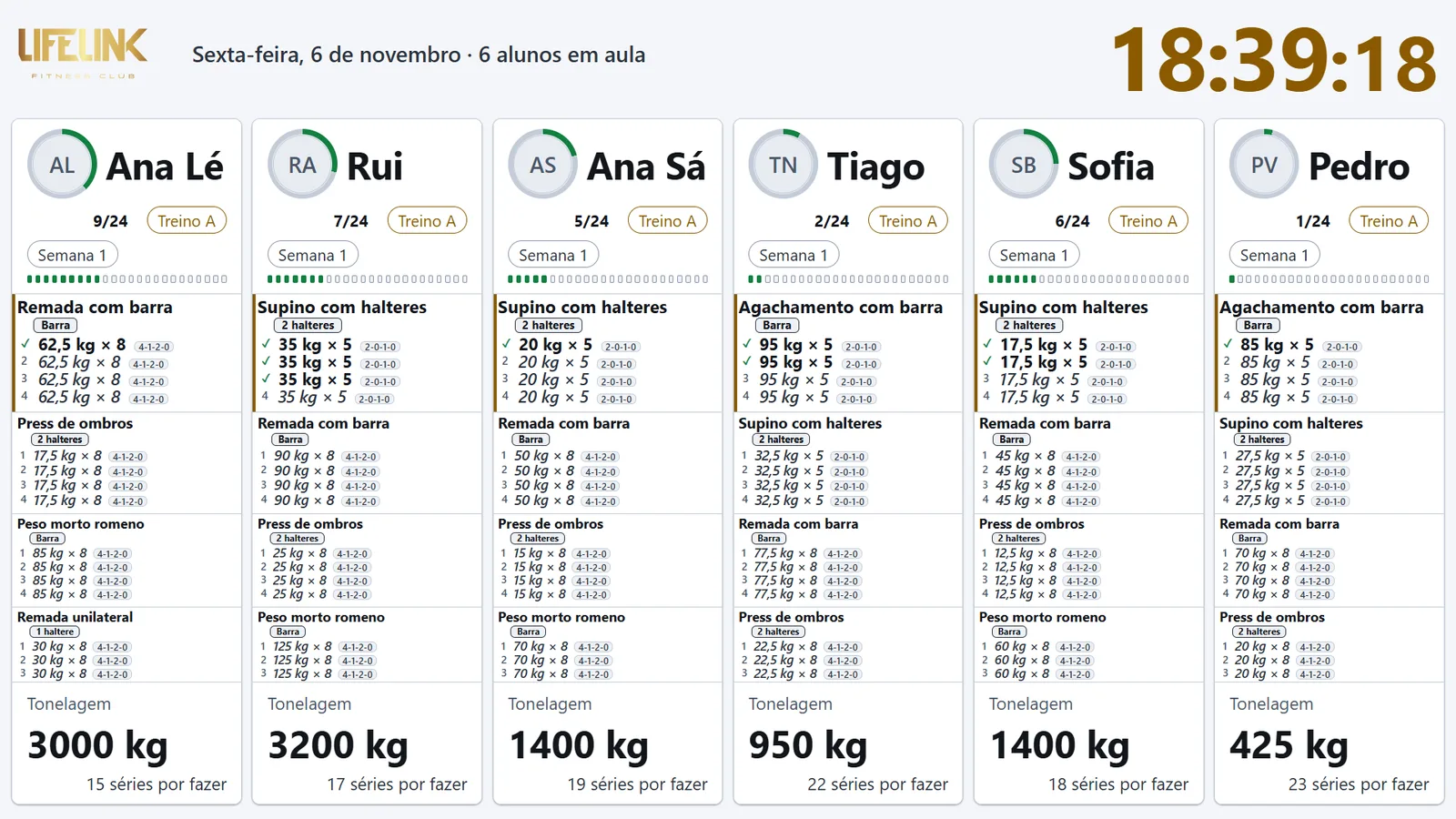
The TV with six (made-up) students: when two share a first name, the surname shows too.
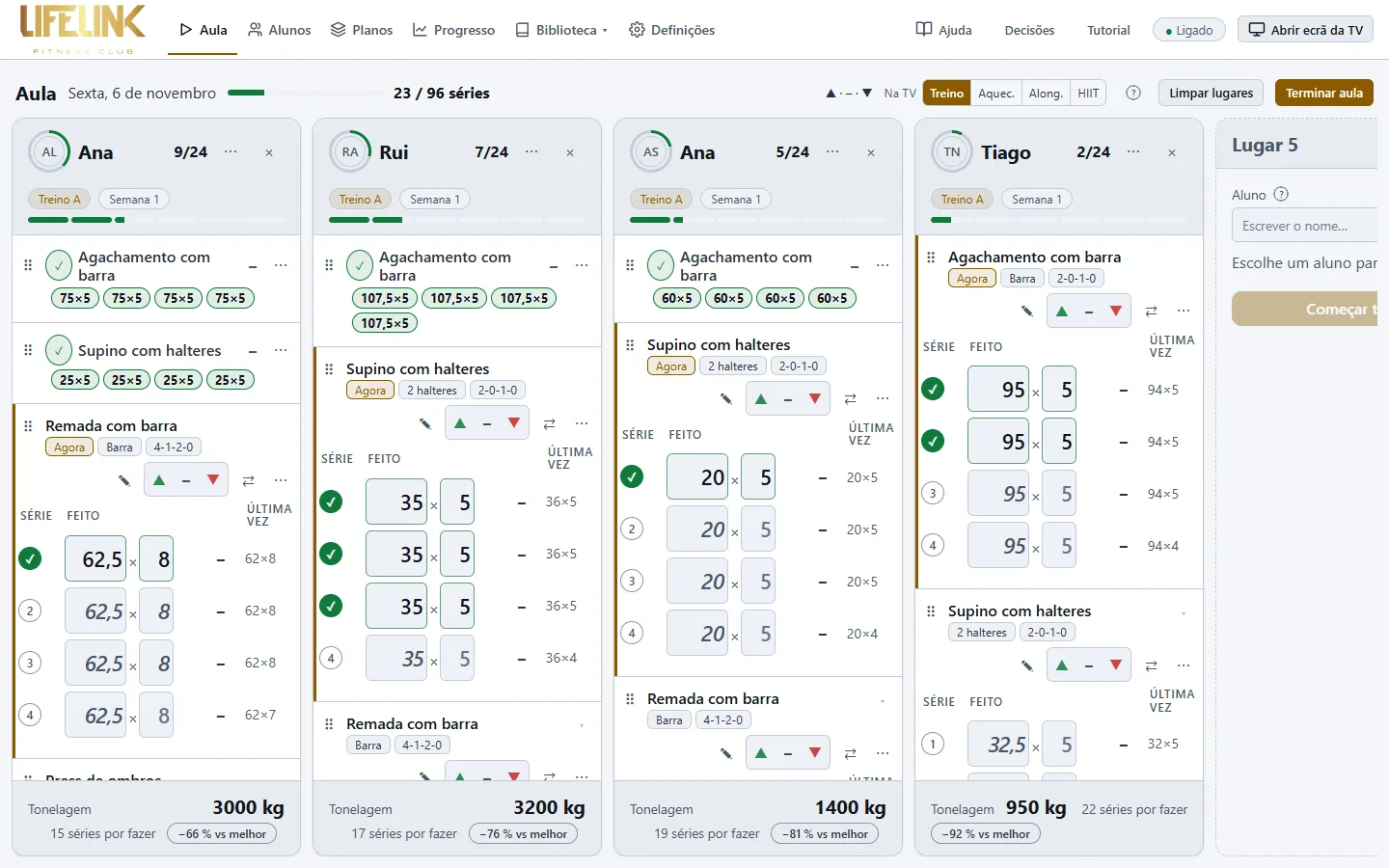
The class board, with the suggested load already filled in. Made-up students.
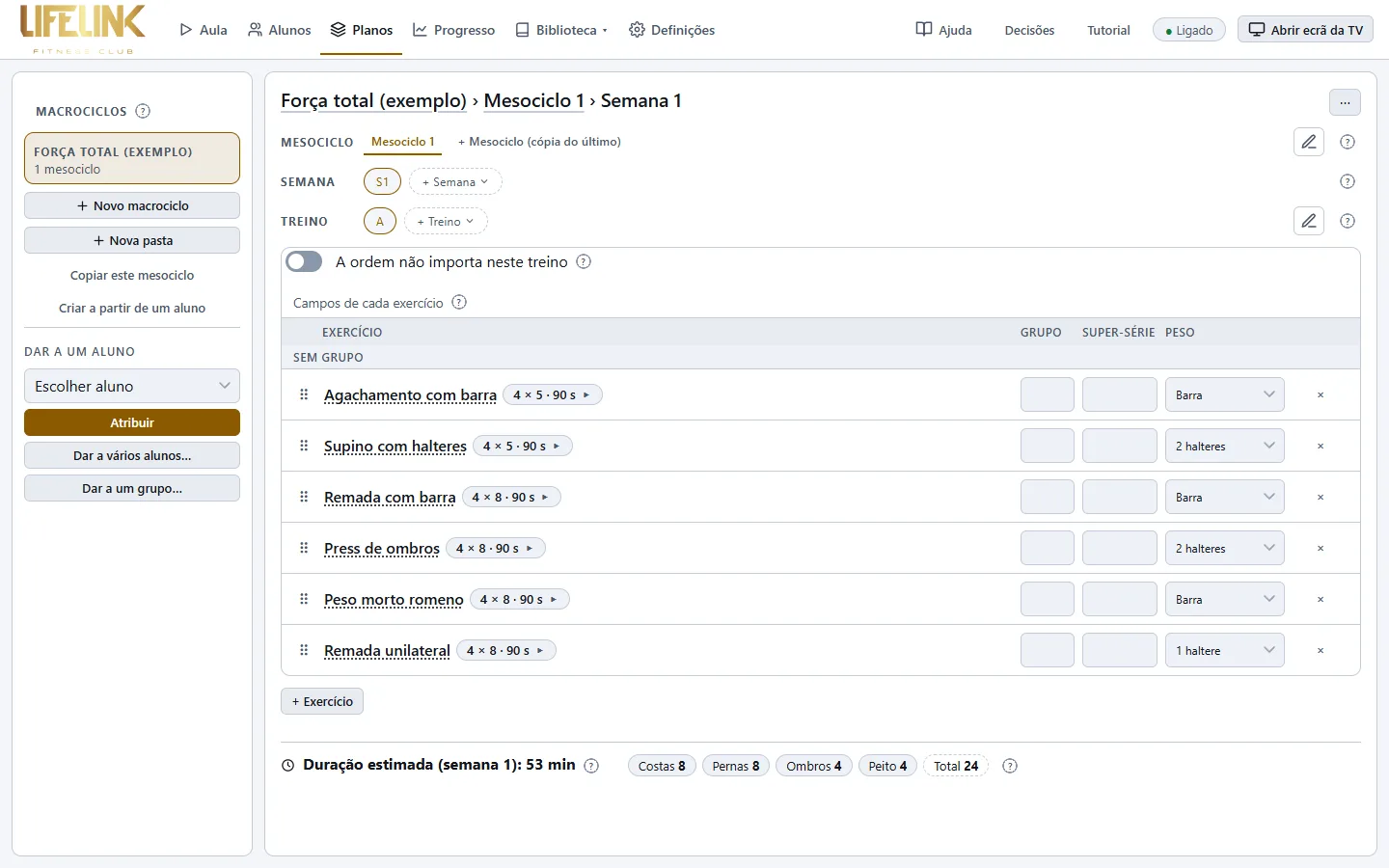
The plan builder, with an example plan.
Compliance and quality
- Automated tests and documentation for every screen and rule.
- A privacy register of what personal data is stored and where. Client data stays in the studio, and the TV shows first names, adding the surname only when two students share one, and a photo if there is one.
- Accessibility rules applied to new screens (symbols as well as colours).
What your project can have
- You leave the spreadsheets behind: import your old files and export everything whenever you like.
- It works on your own network, with no internet and no subscription fee for the app.
- You see what is happening live on a screen that updates itself.
- Your decisions and answers live inside the app, so your feedback turns into changes in days.
Technology
Common, well-documented technologies, so the project can grow or change hands.
Want something like this?
Much of what you've seen here is already built and tested. Tell me how your business works and I will show you a first version in days.
Other projects